
By Alexa Tanen

Microsoft Teams: Explore Your Collaboration Champion Tool
1 year ago · 3 minute read

Businesses must talk and work together smoothly in a world of computers and online stuff. Microsoft Teams is a big name in this game. It’s a tool that helps teams come together and get things done. But with so many choices, how good is Teams compared to others? We’ll check out its main features and see how it measures up to five other popular tools.
Strengths of Microsoft Teams
Let’s examine how Microsoft Teams differs from others and discuss its key features.
Seamless Integration
It’s time to stop dealing with different apps. Teams work smoothly with Microsoft 365 apps such as Word, Excel, OneDrive, and SharePoint. It allows you to easily switch between tasks, share documents, and work together in real time, all in the same familiar interface. You don’t have to jump between programs, look for files, or waste time.
Communication Hub
Microsoft Teams has everything you need for communication. Whether you like texting, video calls, or using virtual whiteboards, Teams has got you covered. Chatting, high-quality video meetings, and interactive whiteboards for real-time brainstorming are easy. Teams make communication efficient and fun.
Collaboration Powerhouse
Microsoft Teams is more than just talking to each other. It’s about working together to get things done. You have tools like shared channels, task management, and file co-authoring that help teams manage projects, share ideas, and work on documents simultaneously. This way, everyone feels like they own a part of the work, making the process smoother and getting results faster.
Security and Compliance
Keeping your information safe is vital in today’s digital world. Microsoft Teams provides strong security with things like encrypting data, using multiple steps for authentication, and tools for finding and managing electronic information. It also follows strict rules to meet all the necessary data protection standards. This makes it a good choice for organizations needing high-level data security.
Scalability and Flexibility
Teams is designed for all kinds of organizations, whether you’re a small startup or a big company. It’s flexible, so you can choose subscription plans that fit your needs and budget. You can also easily add or remove features as necessary. Whether your team is just five people or you have hundreds of employees worldwide, Teams can grow with you.
Microsoft Teams vs. Its Competition
Let’s move towards how Microsoft Teams competes with its rival industry giants.
Slack
Slack is known for being easy to use and having a casual way of talking. Small teams and new tech companies like it. But, compared to Teams, it only has some of the fancy features and connections.
Zoom
Zoom is mostly used for video calls, and it’s great for that. But when it comes to working together on projects, Teams have better tools. Also, Zoom makes you pay extra for some features.
Google Workspace
This package, which includes Meet and Chat, has excellent teamwork tools and works well with other Google services. However, only a few people use it compared to Teams, which does not have all the fancy features.
Cisco Webex Teams
Cisco Webex Teams focuses on keeping things safe and is designed for big businesses. It has similar features to Teams, but some people might find the way it looks and works harder to understand.
Rocket.Chat
This platform allows you to customize and host it yourself, which is great for people who care about privacy and developers. But it has fewer features than Teams, and setting it up and running it might require some technical know-how.
Final Words
You must know that the right platform depends on your specific needs. You must consider team size, budget, desired features, integration requirements, security needs, and the technical expertise available. By evaluating these aspects and comparing the strengths and weaknesses of each platform, you can make a well-informed decision that enhances your team’s collaborative efforts.
By Alexa Tanen
Pixpa: Your Portfolio Creation Tool
1 year ago · 3 minute read

So, you’re a creative soul—a photographer, designer, or artist—looking to build a stunning online home for your work? Welcome to the club! Creating a website that truly reflects your style and helps you connect with clients can feel like a daunting task. But don’t worry, we’re here to help. Today, we’re exploring Pixpa, a platform designed with creatives like you in mind. We’ll break down what it offers and compare it to some other popular options. Let’s start.
Pixpa’s Core Capabilities
First, let’s see what Pixpa offers you which makes it a standout tool.
Intuitive Website Builder
Pixpa offers a drag-and-drop interface that enables you to create professional-looking websites without needing coding skills. It provides a range of customizable templates designed to showcase visual content effectively.
E-commerce Functionality
Pixpa goes beyond just portfolio displays and offers e-commerce capabilities that allow creatives to sell prints, digital downloads, and merchandise. It supports integration with popular payment gateways, facilitating smooth and secure transactions.
Client Management
The platform includes tools for managing client interactions, including inquiries, bookings, and gallery sharing. These features streamline the workflow for creative professionals, making it easier to handle business operations.
SEO Optimization
Pixpa includes built-in SEO tools to enhance website visibility. You can customize metadata, create sitemaps, and leverage social sharing options to improve your site’s search engine rankings and online presence.
Mobile Responsiveness
To ensure an optimal user experience across all devices, Pixpa automatically optimizes websites for different screen sizes, including mobile phones and tablets. This feature ensures that the visual presentation remains consistent and professional, regardless of the device used.
Pixpa Vs. Its Competitors
Now, let’s compare Pixpa to some of its major competitors in the same domain.
Squarespace
Squarespace excels with its elegant templates and strong design emphasis. That makes it a favorite among creatives. Its robust e-commerce features allow for both showcasing work and selling products, though its learning curve may be steeper for some users compared to other platforms.
Wix
Wix stands out for its high level of customization and intuitive drag-and-drop interface, making it accessible even to those without coding knowledge. While it offers extensive features, its e-commerce capabilities are less specialized than those of Shopify and Pixpa.
Weebly
Weebly is known for its simplicity and ease of use, appealing to beginners in website building. Its straightforward approach makes it an attractive option for basic online stores. However, it might not meet the needs of creatives requiring advanced features or complex layouts. Its e-commerce functionalities are adequate for simple stores but not as robust as those of other platforms.
Shopify
Shopify is a powerhouse for e-commerce and provides a comprehensive suite of tools designed for online selling. While it can be used to create online portfolios, its core strength is in commerce. For those whose primary focus is selling products, Shopify is an excellent choice, though other platforms might better serve creatives focused on showcasing their work.
Cargo
Cargo caters specifically to creatives with its minimalist aesthetic and strong focus on visual storytelling. It’s a popular choice for artists, photographers, and designers. While it offers essential features for online portfolios, its e-commerce capabilities are more limited compared to platforms like Pixpa or Shopify.
Final Words
Choosing the right platform can be like picking out the perfect outfit—it needs to fit your style and make you feel confident. Hopefully, this comparison has given you a clearer picture of what Pixpa and its competitors bring to the table. The best platform for you depends on your unique needs and goals. So, take some time to explore, experiment, and find the one that feels like the perfect match.
By Alexa Tanen
Podbean: Is It a Perfect Podcasting Platform?
1 year ago · 3 minute read

Have you ever had a brilliant story and a voice burning to be heard? Then, the podcasting world is calling your name. You might think it’s hard to begin, but don’t worry! This article is your map for launching your podcast with Podbean. Let’s explore its core features and compare it to other platforms. So, without wasting any time, let’s start.
Podbean’s Core Capabilities
First, let’s see what Podbean offers you.
Hosting and Distribution
Podbean provides unlimited audio and video hosting with efficient content delivery. It automates distribution to major podcast directories like Apple, Spotify, and Google. The platform supports high-quality audio formats and large file sizes, catering to podcasters who prioritize audio fidelity. With robust RSS feed management, Podbean ensures seamless syndication across various podcast platforms and websites.
Website Creation and Customization
It offers user-friendly website creation tools with customizable podcast-specific templates. The drag-and-drop interface allows easy addition of elements like episode players and subscription buttons. It supports custom domain integration and provides responsive designs for mobile compatibility.
Analytics and Insights
Podbean’s comprehensive analytics go beyond basic download numbers. It offers insights into listener demographics and behavior. The IAB-certified stats provide accurate, credible data crucial for seeking sponsorships. The platform features an intuitive dashboard with visualizations and exportable reports, allowing podcasters to easily track growth and share data.
Monetization Options
Podbean offers diverse monetization features, including dynamic ad insertion, a patron program for direct listener support, and premium content options. Podcasters can connect with sponsors through Podbean’s advertising marketplace. The platform supports crowdfunding campaigns and merchandise sales integrations.
Mobile App and Recording Tools
Podbean’s mobile app turns smartphones into portable studios with recording, editing, and publishing capabilities. It includes multi-track recording, a library of royalty-free music, and basic editing tools.
Podbean Vs. Its Competitors
Now, let’s move toward how Podbean stands against other giant competitors in the same domain.
Buzzsprout
Buzzsprout offers a user-friendly platform that’s great for beginners. It has monetization options, allowing podcasters to earn money from their shows, and it also offers a free plan, which is a good way to start without any upfront costs. However, one notable downside is that Buzzsprout doesn’t support video podcasting.
Anchor (by Spotify)
Anchor is a free platform, making it an attractive option for beginners or those on a tight budget. It’s straightforward to use, which helps new podcasters get started quickly without a steep learning curve. But, compared to Podbean, Anchor offers limited customization options, meaning you might not be able to tailor your podcast’s look and feel as much as you’d like.
Libsyn
Libsyn is one of the oldest and most established podcast-hosting platforms. It’s known for its robust analytics, giving podcasters detailed insights into their listener demographics and behaviors. Libsyn is also praised for its reliable hosting services and ensures that your podcast is always available to your audience. However, its interface can be less intuitive for beginners, making it harder to navigate and use effectively without some prior experience.
Captivate
Captivate is a platform for podcasters who want advanced analytics and marketing tools to grow their audience and improve their shows. It offers features like in-depth listener insights and promotional tools to help you reach a wider audience. However, Captivate’s pricing is higher than some other platforms, which is a barrier for those who are just starting or have a limited budget.
Castos
Castos stands out by offering a unique white-label solution, which allows podcasters to host their shows under their brand. It can be a great option if you want full control over your podcast’s branding and don’t want any third-party logos or branding on your content. However, this level of customization and branding comes at a premium, making Castos more expensive compared to Podbean’s plans.
Final Thoughts
So, are you ready to hit record and share your voice with the world? Podbean offers a user-friendly and feature-rich platform to launch your podcasting dreams. Remember, the most important ingredient is your passion and creativity. With Podbean by your side, you have the tools to turn those ideas into captivating audio experiences that will resonate with your audience
By Alexa Tanen
Pretty Links: Exploring the Link Shortening And Tracking Tool
1 year ago · 3 minute read

Do you cringe at those long, unreadable URLs cluttering your website? They’re bad for aesthetics, bad for clicks, and bad for SEO. But don’t worry, Pretty Links, the link-shortening plugin for WordPress, is here to help.
With Pretty Links, you can create clean, branded links, gain insights through click tracking, and automate link management. Let’s dive in and see how Pretty Links can transform your website’s links and compare it to its competitors.
Pretty Link’s Core Capabilities
Managing links is crucial in today’s content-driven world. Pretty Links, a WordPress plugin, helps by turning long, messy URLs into clean, branded “pretty links.” Here’s why Pretty Links is a valuable tool:
Link Shortening
Now, you can say goodbye to long, ugly URLs. Pretty Links lets you shorten URLs using your domain name and makes them look professional and easy to remember.
Customization
It’s time to move on from generic short links. With Pretty Links, you can create custom slugs for your links and add relevant keywords to boost brand recognition.
Click Tracking
With detailed reports on clicks, referrers, and visitor data, you can understand how your links are performing. It helps you see what content your audience likes and improve your linking strategy.
Redirection Options
Pretty Links offers various redirection types. Use 301 redirects for permanent content and 307 redirects for temporary promotions. It helps with SEO and ensures a smooth user experience.
Automation
You can also save time by automating link creation. It sets up keywords or patterns to automatically convert specific words or phrases into pretty links in your content.
Bookmarklet
The Pretty Links bookmarklet makes it easy to create shortened links. You can turn any URL into a pretty link directly from your web browser with one click.
Integration
Pretty Links works well with popular email marketing platforms and social media schedulers. So, it makes things easy to include Pretty Links in your marketing campaigns.
Pretty Links Vs. Its Competitors
Pretty Links offers a robust feature set, but it’s always wise to consider alternatives. Let’s take a quick look at five major competitors of Pretty Links in the link management domain.
Bitly
Bitly is a free link shortening service that is popular for its ease of use and social media integration. However, Bitly limits customization options and click-tracking features in the free plan.
Rebrandly
Rebrandly offers a strong focus on branding with custom domains and social media sharing features. It’s also crucial to know that Rebrandly’s pricing plans are steeper than Pretty Links for similar features.
TinyURL
TinyURL is another free link-shortening service known for its simplicity. Compared to Pretty Links, it offers minimal customization and limited data insights.
ClickMeter
ClickMeter caters more to advanced users with in-depth click tracking and campaign management tools. Its pricing reflects its advanced features, and it might be overkill for basic link management needs.
ThirstyAffiliates
ThirstyAffiliates is also a WordPress plugin specifically designed for affiliate marketers. It excels at managing affiliate links but lacks Pretty Links’ broader link management functionalities.
Final Thoughts
The best platform depends on what you need. Pretty Links stands out for being easy to use, offering customization, and focusing on branding and click tracking. It’s a great tool for bloggers, affiliate marketers, and anyone looking to manage their links better for a cleaner and more data-driven online presence.
By Alexa Tanen
Rode Caster: Is It Worth the Hype?
1 year ago · 2 minute read
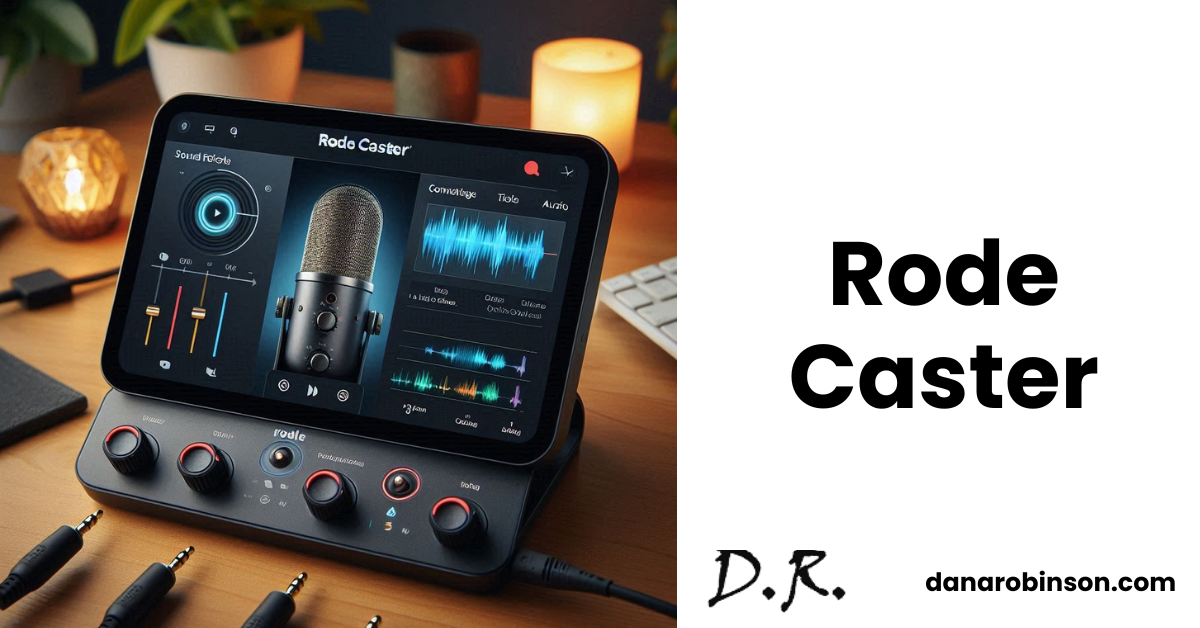
Having the right tools is crucial for creating engaging podcast content. Rode Caster has become a popular choice for those looking for an all-in-one podcasting solution. But with so many options out there, how does it compare to other choices? Let’s break down what makes the Rode Caster stand out and how it stacks up against its competitors.
Rode Caster Offerings
First, let’s see what Rode Caster offers you.
Easy-to-Use Touchscreen
The Rode Caster’s touchscreen is designed for podcasters. It simplifies controlling settings, adding sound effects, and monitoring your audio, so you can focus on creating great content.
Flexible Connections
It has multiple XLR inputs for connecting high-quality microphones and supports smartphones, USB devices, and Bluetooth for bringing in remote guests or playing music.
Customizable Sound Effects
The device comes with built-in sound effects and jingles, and you can also add your own. They can be triggered easily with a button press to liven up your podcast.
Professional Sound Quality
The Rode Caster has built-in features like compression, noise reduction, and EQ, helping you achieve a professional sound without needing extra equipment.
Recording and Streaming
You can record your podcast directly onto a microSD card for editing later or stream live to platforms like YouTube and Twitch.
Personalized Headphone Monitoring
Each participant can have their own headphone mix. It allows them to hear themselves, other guests, and background music clearly.
Advanced Audio Effects
Some Rode Caster models include APHEX Aural Exciter and Big Bottom effects for enhanced sound quality, giving your podcast a professional edge.
Rode Caster Vs. Its Competitors
Now let’s explore the competitors of the Rode Caster.
Zoom PodTrak
Zoom’s PodTrak models are known for being portable and user-friendly. They can record multiple tracks at once which makes them a great choice for different podcasting needs.
Tascam Mixcast
Tascam’s Mixcast series offers a good mix of features and affordability. They often come with touchscreen controls, and sound effects pads, and are compatible with streaming platforms.
Yamaha AG Series
Yamaha’s AG series is favored for its high-quality audio and sturdy build. These mixers include features like DSP effects and low-noise preamps, providing a solid setup for podcasting.
Behringer Xenyx
Behringer’s Xenyx series offers budget-friendly options. They might not have all the advanced features, but they’re a good choice for those just starting out in podcasting.
Mackie ProFX
Mackie’s ProFX mixers combine both analog and digital features, making them versatile for podcasting. They usually include built-in effects and USB connectivity for added convenience.
That’s All
Choosing the best podcasting setup depends on your specific needs and budget. The Rode Caster offers a great mix of features in a user-friendly design. However, other options like Zoom PodTrak, Tascam Mixcast, Yamaha AG, Behringer Xenyx, and Mackie ProFX also have their own strengths. Compare their pros and cons and choose the one that suits your needs.
By Alexa Tanen
Searchie: The Top Content Management Tool To Help You Shine
1 year ago · 2 minute read

You’ve worked hard to create amazing content, tutorials, and guides – a treasure of knowledge. But your audience? They’re lost, wandering around in a puzzle of information. It’s frustrating, right?
But there’s a solution. Now, you can say goodbye to content chaos and enter the future with Searchie. It’s a platform for creators to manage, organize, and sell digital content. Let’s explain its main features and how it stands against its competitors.
Searchie’s Key Features
First, let’s explore what features Searchie offers you.
Search-First Approach
Searchie stands out with its powerful built-in search function. It helps you navigate vast content libraries easily. Hence, it enhances your learning experience by quickly finding what you need.
Content Hubs
Now, you can organize your content into cohesive “Hubs” based on themes or topics. It keeps your offerings well-structured and your users engaged.
Monetization Options
You can sell memberships, courses, or coaching programs directly through the Searchie platform. It streamlines the sales process and lets you focus on creating fantastic content.
Community Building
It encourages interaction with your audience through discussions and comments within your Hubs. Such interactions create a sense of community and keep your audience engaged.
Searchie Vs. Its Competitors
It’s a reality that Searchie.io shines with its search functionality, but it’s also important to compare it with other popular alternatives.
Teachable & Thinkific:
Teachable and Thinkific are popular platforms that offer strong course-creation tools and are great for selling individual courses. However, they don’t have Searchie’s focus on search functionality and community features.
Kajabi
Kajabi provides a comprehensive suite for building online courses, memberships, and landing pages and is similar to Searchie. Still, if searchability and community are your top priorities, Searchie is a better fit.
Podia
Podia is user-friendly for selling courses and memberships. However, its search capabilities and community-building features aren’t as developed as Searchie’s.
Memberful
Memberful excels at membership management and integrates seamlessly with existing websites. But for course creation and robust content organization, Searchie is a better choice.
Ending Thoughts
Searchie offers a compelling approach to content creation. It ensures your audience can fully benefit from your wealth of knowledge by prioritizing searchability and organization. This focus on user experience helps you create a loyal following and a thriving community around your content. Ultimately, the platform you choose depends on your specific needs. However, if you value discoverability and a comprehensive content management system that prioritizes user experience, Searchie.io is worth exploring.
By Alexa Tanen
Shopify: Exploring The E-Commerce Giant
1 year ago · 3 minute read

Are you thinking of starting an online store? You know there are exciting times ahead. But with so many platforms to choose from, picking the right one often feels overwhelming. That’s where we come in. Let’s dive into Shopify—a top choice for many online entrepreneurs. We’ll explore its features, why it’s popular, and how it compares to some of its biggest competitors. Let’s get started!
Shopify Key Features
Shopify is a premier choice for businesses looking to build and scale their online presence. Here’s a snapshot of what makes Shopify exceptional:
User-Friendly Interface
Shopify’s intuitive design simplifies store management. It allows users to easily handle tasks like product listing and order processing without needing extensive technical skills.
Comprehensive Product Management
The platform provides robust tools for managing inventory, pricing, descriptions, and product variants. It also supports digital products, subscriptions, and gift cards, catering to diverse business models.
Secure Checkout
Shopify prioritizes data protection with a secure checkout process. It integrates with multiple payment gateways, offering flexibility and instilling confidence in customers.
Multiple Sales Channels
Shopify facilitates sales across various platforms such as Amazon, Facebook, and Instagram. It centralizes inventory and order management, streamlining multi-channel operations.
Marketing and SEO Tools
The platform includes SEO-friendly templates, email marketing features, and social media integration to enhance visibility and drive traffic. It has data insights to refine marketing strategies.
Payment Processing
Shopify supports a wide range of payment methods, including credit cards and digital wallets. It ensures a smooth checkout experience and reduces cart abandonment.
Shipping and Fulfillment
Shopify simplifies shipping with tools for label creation, rate calculation, and order tracking. It integrates with fulfillment services, streamlining the order-to-delivery process.
Analytics and Reporting
The platform’s analytics tools provide valuable insights into sales, traffic, and customer behavior. Hence it aids businesses to make informed decisions and optimize growth strategies.
Shopify Vs. Its Competitors
Shopify is a leading e-commerce platform, but several other options cater to different business needs and sizes. Here’s a look at some of its key competitors:
WooCommerce
WooCommerce is a free, open-source plugin for WordPress, offers a customizable e-commerce solution. Its positives are flexibility, cost-effectiveness, extensive community support, and easy integration with the WordPress ecosystem. However, it requires technical expertise, and its hosting and maintenance are the user’s responsibility.
BigCommerce
BigCommerce is a cloud-based platform known for its scalability and advanced features. It has strong enterprise-level capabilities, high performance, and no transaction fees. However, it has a steeper learning curve compared to Shopify, and the pricing can be higher for larger stores.
Wix
Wix is a versatile platform offering both website building and e-commerce functionalities. It has a user-friendly interface, is design-focused, and it’s suitable for small businesses and beginners. However, the E-commerce features are limited compared to dedicated platforms.
Squarespace
Squarespace is known for its stylish templates and integrated e-commerce capabilities. It includes beautiful designs, is user-friendly, and has a strong focus on visual appeal. However, it offers limited customization options compared to WooCommerce or Magento at a higher pricing.
Magento (Adobe Commerce)
Magento, now owned by Adobe, is a powerful open-source platform designed for large-scale e-commerce operations. It’s highly customizable, scalable, and suitable for complex e-commerce needs. However, it has a steep learning curve, requires technical expertise, and generally higher costs compared to other platforms.
Ending Thoughts
Choosing the perfect platform for your online store is crucial. Shopify is definitely a strong contender with its robust features and ease of use. However, every business is unique, and what works for one may not work for another. Take the time to explore other platforms, compare features, and consider your budget and specific needs. The best platform will be the one that aligns with your goals and simplifies managing your online store.
By Alexa Tanen
Slack
1 year ago · < 1 minute read
Most people have at least tried Slack by now. It’s a pretty handy tool for staying in contact with everyone on your team. Plus, it has more capabilities (and is less annoying) than dealing with constantly texting. Let’s take a closer look at why so many entrepreneurs and small businesses like Slack.
Firstly, you can customize your notifications. Tailor them to avoid distractions but stay updated on crucial messages. Also, you can set your status to reflect your availability. It helps teammates know when you’re free, away, or in a meeting.
Channels are the heart of Slack. Organize them wisely to keep conversations focused and accessible. Don’t underestimate the power of threads. They help maintain clean discussions without cluttering the main channel.
Use @mentions effectively. Direct your messages to specific team members by tagging them, ensuring they notice your message. It’s not just a way to find a person, either. Slack’s search function is robust. Use keywords and filters to find past messages, files, and links effortlessly.
Pin essential messages for quick reference. It’s a great way to keep crucial information within everyone’s reach. Lastly, keep an eye on Slack’s updates. They regularly introduce new features that can enhance your team collaboration experience.
By Alexa Tanen
Squadcast: Get High-Quality Audio and Videos
1 year ago · 2 minute read

Do you dream of creating high-quality audio and video content, but tangled wires and unreliable internet connections keep getting in your way? Let’s help you ditch the struggle and introduce you to remote recording with SquadCast.
It’s a platform to help you capture those fantastic podcast sessions, interviews, and collaborations—all from the comfort of your favorite remote spot. So, let’s explore this tool and see what it can do for you.
Squadcast’s Arsenal
SquadCast is an excellent tool for remote recordings. Here are some of the key features of this tool.
Cloud-Based Recording
SquadCast makes recording easy by capturing each person’s audio and video locally and combining them in the cloud. It ensures high-quality recordings, even if the internet connection isn’t stable.
Multi-Track Recording
It records each participant’s audio separately, giving the editors the flexibility to remove background noise or adjust sound levels for a perfect final product.
Live Call Features
You can talk to your co-hosts or guests in real time, record live calls, share your screen, and use virtual backgrounds. It makes your conversations flow naturally during interviews and discussions.
Seamless Integrations
SquadCast works with popular editing software like Adobe Audition and video editing platforms. That makes it easy to import and start editing your recordings quickly.
Security and Scalability
Your recordings are secure with SquadCast’s SOC 2 Type 1 compliance. Their plans are suitable for both individual creators and larger teams, providing a scalable solution.
Squadcast Vs. Its Competitors
While SquadCast is excellent, other platforms offer similar remote recording features. Here’s a quick comparison with five strong competitors:
Riverside
Like SquadCast, Riverside uses cloud-based recording and captures separate tracks. It also offers local recording for extra reliability. However, SquadCast provides more integrations and focuses more on video recording.
Zoom
A widely used video conferencing tool, Zoom allows you to record conversations. However, it doesn’t offer separate tracks or advanced editing features. The lack of features makes it less suitable for professional podcast production.
Discord
Discord is mainly a communication platform that offers basic screen and audio sharing for recordings. It’s a free option for casual creators, but SquadCast provides a more comprehensive and professional set of features.
Skype
Another communication tool, Skype, provides call recording. However, like SquadCast, it lacks the advanced features needed for high-quality podcast production, such as separate tracks and cloud recording.
Fraps
Fraps is primarily a screen recording software, but it also captures audio along with your screen. While useful for specific scenarios, it isn’t designed for collaborative audio/video podcast recording like SquadCast.
Final Words
SquadCast balances ease of use with professional-grade features. Its cloud-based recording, separate tracks, and integration capabilities make it a powerful tool for creators who want a smooth remote recording experience. While other platforms have similar features, SquadCast’s focus on podcast production and commitment to quality make it a standout choice.
By Alexa Tanen
Stack Overflow: Your Coding Community and Problem Solver
1 year ago · 2 minute read

Are you stuck on a complex coding issue or need a quick solution to a tech challenge? Stack Overflow can be your best friend in these situations. It’s the ultimate digital playground for developers. This platform has become the go-to hub for programmers worldwide, offering a wealth of knowledge and a vibrant community. But is it the only game in town? Let’s explore this platform and see what it offers and how it stacks up against its competitors.
Stack Overflow’s Core Capabilities
First, let’s see what Stack Overflow is all about which makes it a unique and special platform.
Comprehensive Question and Answers
You can ask specific questions and receive detailed, and expert-driven answers. The platform’s voting system helps highlight the most helpful and accurate responses.
Tagging System
Questions and answers are categorized using tags, which makes it easy to search for relevant content based on programming languages, technologies, or specific topics.
Reputation System
You earn reputation points based on the quality of your contributions. It incentivizes helpful and informative interactions within the community.
Code Snippets
You can share code directly within your answers which offers practical solutions and examples to address coding issues.
Diverse Topics
Stack Overflow encompasses a broad range of programming languages, frameworks, and technologies. It caters to a wide audience and creates a comprehensive knowledge base.
Stack Overflow Vs. Its Competitors
Stack Overflow is a leading platform for developer queries, but several other platforms provide similar services with unique features. Here’s a look at some key competitors:
Reddit hosts various developer-oriented subreddits such as r/programming, r/learnprogramming, and language-specific communities. It offers a strong sense of community, a diverse range of topics, and real-time discussions. However, it’s less structured than Stack Overflow, with varying quality of content.
Quora
Quora is a broad question-and-answer platform covering a wide range of topics, including technology. It provides a vast amount of information and allows users to follow experts and topics. However, it’s less specialized for developers compared to Stack Overflow, and answers may vary in quality due to a broader audience.
GitHub Discussions
Integrated into GitHub, Discussions facilitate conversations around code repositories and open-source projects. It’s tied directly to code, ideal for project-specific discussions, and you can benefit from GitHub’s extensive user base. However, it’s only limited to GitHub projects and may not be suitable for general programming questions.
Developer Forums (Oracle Forums, Microsoft Developer Community)
These are vendor-specific platforms providing support and community engagement for their products. The official support channels are the strengths with in-depth discussions about specific technologies. But these forums are limited to the respective vendor’s ecosystem and don’t offer as broad a range of topics as Stack Overflow.
Final Words
The developer community landscape is diverse, with many platforms catering to various programming needs and preferences. Stack Overflow remains a leading resource, and platforms like Reddit, Quora, GitHub Discussions, and specialized forums also offer unique benefits. By exploring each of these, you can tap into a broad spectrum of insights, solve problems, learn new skills, and contribute to the programming community.


